


Description
Download RWThemeMiner – Mac theme explorer, free trial, secure download
Overview
RWThemeMiner is a compact yet powerful utility designed specifically for Mac users who work with RapidWeaver themes. First released in 2007, the program has grown into a trusted tool for designers, developers, and hobbyists who need to explore, edit, or repurpose existing RapidWeaver templates. The current version, 2.5, was refreshed on 19 November 2009 and includes a fresh interface makeover, a brand‑new icon, code optimization, and performance enhancements that make the software feel faster and more responsive than ever before.
The application falls under the “Development” category with a sub‑category of “Internet – WYSIWYG Editors,” reflecting its role as a visual editor that still offers access to the underlying HTML, CSS, and JavaScript code. Because it is a trial‑only release, users can test all core functionalities without committing to a purchase, making it an ideal entry point for anyone curious about RapidWeaver theme architecture. The program is distributed exclusively in English and runs on macOS (formerly Mac OS X) and its earlier versions, ensuring broad compatibility across older Apple hardware.
From a storage perspective, RWThemeMiner is remarkably lightweight. It occupies far less disk space than many comparable development tools, which is a welcome benefit for users who prefer to keep their Mac tidy. Since its inclusion in our software directory, it has been downloaded 443 times, and while there were no downloads in the last week, the steady historical interest demonstrates a niche but loyal user base. Whether you are a seasoned RapidWeaver developer looking for a quick theme audit or a newcomer wanting to peek under the hood, RWThemeMiner offers a secure, free, and feature‑rich environment to satisfy those needs.
Key Features
- Full‑screen theme preview – instantly see how a theme renders on different screen sizes.
- Code inspection – view and edit HTML, CSS, and JavaScript without leaving the app.
- Asset extraction – pull out images, fonts, and other resources for reuse.
- Searchable component list – quickly locate specific sections, widgets, or snippets.
- Performance‑focused engine – optimized for fast loading even on older Mac hardware.
- Interface makeover – a modern, clean UI that reduces visual clutter.
- New icon set – distinctive branding that stands out in the Dock.
- Trial mode – full access to features for a limited period, with an easy upgrade path.
Each of these features is built around the principle of “dig deep” – giving users the ability to explore every layer of a RapidWeaver theme. The fullscreen preview is particularly useful when testing responsive behavior, as it simulates how a site will appear on desktops, tablets, and phones. Meanwhile, the code inspection tool provides a live view of the underlying markup, allowing developers to spot inefficiencies or outdated practices without exporting the theme first.
The asset extraction functionality is a hidden gem for designers who want to reuse graphics or fonts from a purchased theme. Instead of manually digging through zip files, RWThemeMiner presents a clear hierarchy of assets, making the process as simple as a drag‑and‑drop. The searchable component list further speeds up workflow, especially when working with large, complex themes that contain dozens of reusable blocks.
Performance enhancements introduced in version 2.5 are not just marketing fluff; they translate into noticeably quicker navigation through theme files and smoother scrolling within the preview pane. This is particularly important for users still operating on legacy Macs where CPU and memory resources are at a premium. Overall, the feature set strikes a balance between visual convenience and technical depth, catering to a wide range of skill levels.
Installation & Usage Guide
Installing RWThemeMiner is straightforward, even for users who are not familiar with traditional Mac software deployment. Begin by downloading the trial installer from the official website or a reputable software directory that offers the “secure download” badge. The file arrives as a standard .dmg disk image. Double‑click the .dmg to mount it, then drag the RWThemeMiner icon into the Applications folder, just as you would with any other macOS app.
After copying, eject the disk image and launch the program from the Applications folder or via Spotlight. The first launch triggers a brief security prompt asking whether you trust the developer. Since RWThemeMiner is a known, signed application, you can safely click “Open.” The trial mode activates automatically, and a countdown timer appears in the top‑right corner of the window, indicating the remaining days before the trial expires.
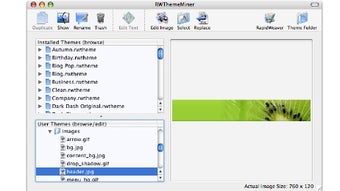
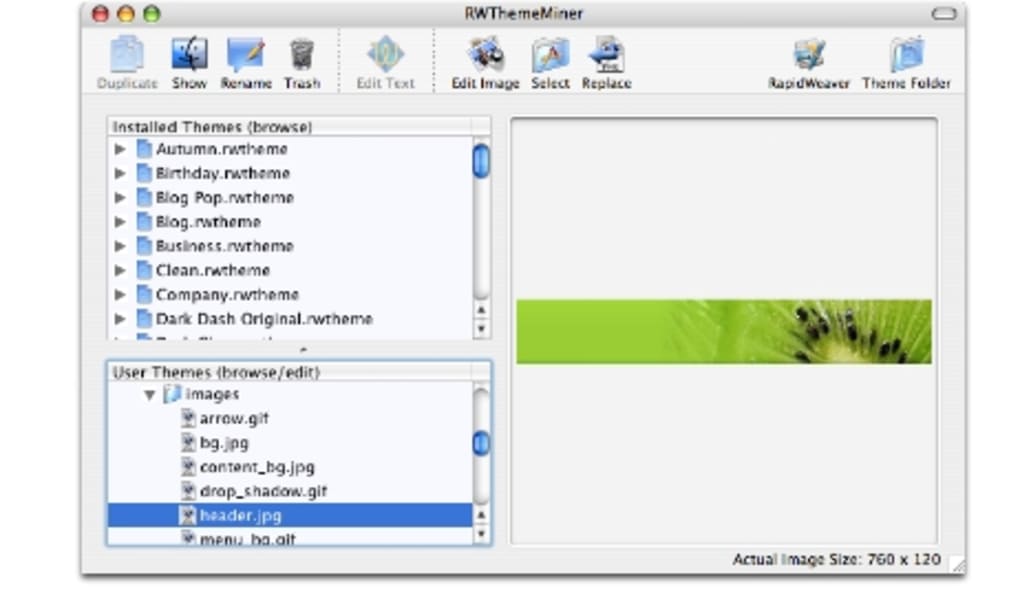
Using RWThemeMiner begins with importing a RapidWeaver theme. Click the “Open Theme” button in the toolbar, navigate to the .zip file or the extracted theme folder, and select it. The software instantly parses the package, displaying a tree view of the theme’s structure on the left side of the interface. From here, you can click any node—such as “Header,” “Footer,” or a specific page template—to view its preview in the central pane.
To edit code, select the “Code” tab at the bottom of the preview pane. The editor supports syntax highlighting for HTML, CSS, and JavaScript, and includes basic find‑and‑replace functionality. Changes are saved directly to the theme’s files, but the program always creates a backup copy before overwriting, ensuring you can revert if needed.
For asset extraction, switch to the “Assets” tab. A list of images, fonts, and other media appears, each with a preview thumbnail. Drag any asset to your Desktop or a designated folder to copy it out of the theme package. When you’re finished exploring, use the “Export Theme” option to save a modified version of the theme, either as a new .zip archive or as an uncompressed folder ready for upload to a RapidWeaver site.
Throughout the workflow, the software’s performance optimizations keep load times low, even when handling large themes with dozens of pages. If you encounter any hiccups, the built‑in “Help” menu directs you to an online knowledge base that covers common troubleshooting steps, such as resetting preferences or clearing the cache.
Compatibility, Pros & Cons
RWThemeMiner runs on macOS 10.5 (Leopard) and later, including macOS 10.15 (Catalina) and newer versions. Because the program is built with native Apple frameworks, it integrates seamlessly with the macOS look‑and‑feel, supporting Retina displays and Dark Mode without additional configuration.
Pros
- Lightweight installation – consumes minimal disk space and memory.
- Comprehensive theme inspection – view preview, code, and assets in one window.
- Free trial – full feature access without immediate cost.
- Optimized for older Macs – runs smoothly on legacy hardware.
- Intuitive UI – modern interface with clear icons and tooltips.
Cons
- Mac‑only – no Windows, Linux, or mobile versions available.
- Trial expires – users must purchase a license for continued use.
- Last updated in 2009 – may lack support for the newest RapidWeaver features.
- No built‑in theme creation – focuses on inspection rather than design from scratch.
- Limited documentation – online help is concise but not exhaustive.
Frequently Asked Questions
Is RWThemeMiner compatible with the latest version of RapidWeaver?
RWThemeMiner was last updated in 2009, so it supports RapidWeaver themes up to version 3.x. While it can still open newer theme packages, some of the latest features (such as advanced CSS grid layouts) may not be fully recognized.
Can I use RWThemeMiner on a Windows PC?
No. RWThemeMiner is a macOS‑only application. Windows users will need to run macOS in a virtual machine or use a Mac device to access the tool.
What happens when the trial period ends?
When the trial expires, the software switches to a read‑only mode. You can still preview themes but editing, asset extraction, and exporting are disabled until a full license is purchased.
Is there a way to back up my edited themes automatically?
Yes. RWThemeMiner creates a timestamped backup each time you save changes. These backups are stored in a hidden “RWThemeMiner_Backups” folder within the theme’s directory.
Does RWThemeMiner support Dark Mode?
Starting with version 2.5, the application respects macOS Dark Mode settings, automatically adjusting its interface colors for a comfortable viewing experience.
Conclusion & Call to Action
RWThemeMiner remains a niche but highly useful utility for anyone who needs to dig into the inner workings of RapidWeaver themes on a Mac. Its lightweight footprint, robust preview capabilities, and direct code access make it a valuable addition to any web designer’s toolbox, especially for those who prefer a trial‑first approach before committing to a purchase. While the lack of Windows support and the age of the last update may limit its appeal for some, the program’s stability on legacy macOS versions and its performance‑centric design ensure it still holds relevance for a dedicated segment of the RapidWeaver community.
If you’re ready to explore RapidWeaver themes without the overhead of a full‑blown IDE, click the secure download button below, install the trial version, and experience the depth of insight RWThemeMiner provides. For continued use after the trial, consider purchasing the full license to unlock all editing and exporting features.
Download RWThemeMiner Free Trial
Pros: Lightweight, full theme inspection, Mac‑optimized performance.
Cons: macOS‑only, outdated update, trial limitation.
Guides & Tutorials for RWThemeMiner
How to install RWThemeMiner
- Click the Preview / Download button above.
- Once redirected, accept the terms and click Install.
- Wait for the RWThemeMiner download to finish on your device.
How to use RWThemeMiner
This software is primarily used for its core features described above. Open the app after installation to explore its capabilities.
User Reviews for RWThemeMiner 0
No reviews found





.webp)